
Photoshop plugin saves open images on Photoshop
This versatile plugin simplifies the process of saving and exporting open images, offering a range of formats and options to you needs. You may think that you would like to save all of open images as any format you like. With two main panels the Main Panel and the Exporter Panel you can handle your images efficiency, whether for general use or web-specific formats. Even Webp format is supported.
Main Panel
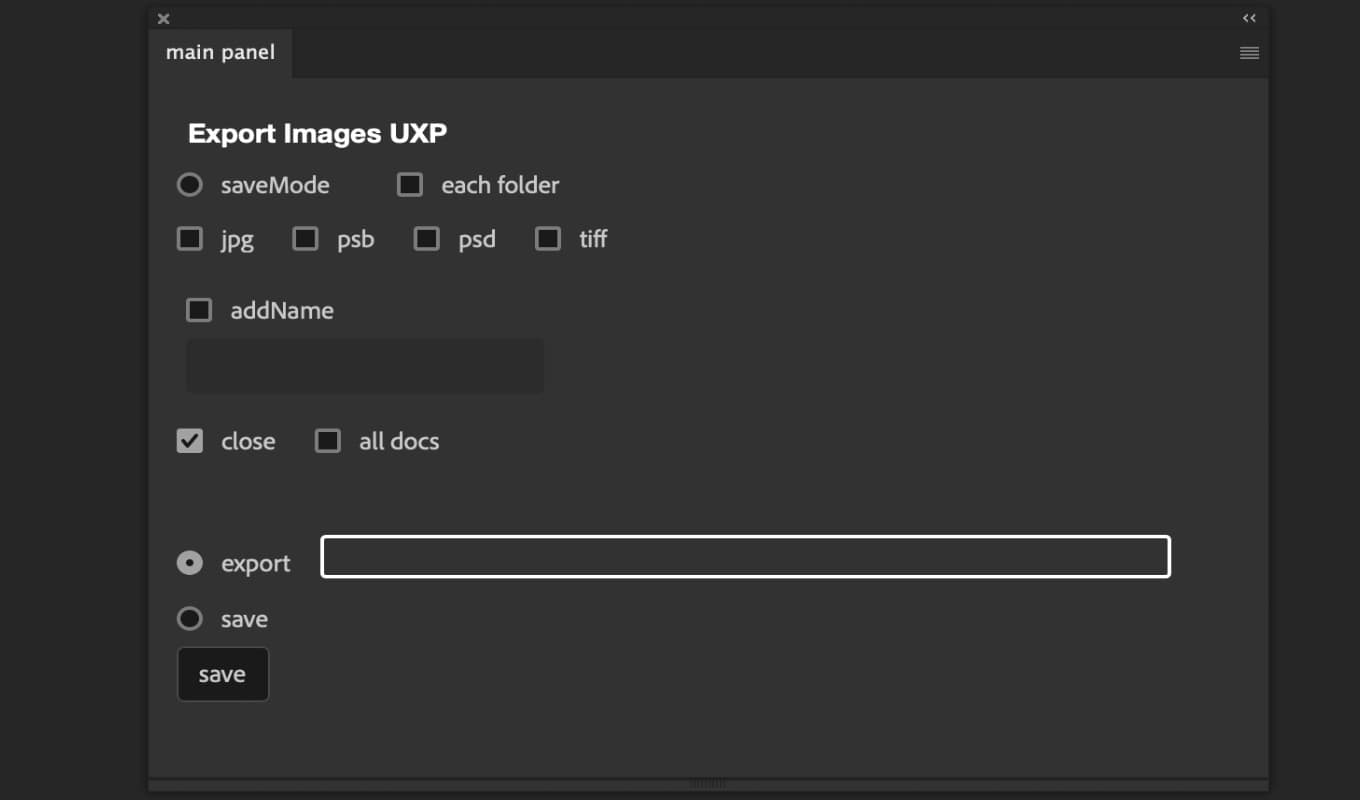
The main panel is designed for saving images in various formats. You can choose from formats like JPG, TIFF, PSD, and PSB, and benefit several saving modes and options.
Save Mode
- Save AsSave the image in the format you chose, with the file being saved in the same directory as the original image.
- ExportSave the image in a directory of your choice.
- Overwrite (previously Save mode, before 3.0 ver)Overwrite the existing image in its original format. This function currently supports PSD, TIFF, PSB, JPG, PNG, and WEBP.
Options
- Each FolderCreates a separate folder for each format and saves images accordingly.
- Add NameAppend custom text to the file name before saving.
- CloseAutomatically close the image after saving.
- All DocsSave all open images at once.
Exporter Panel
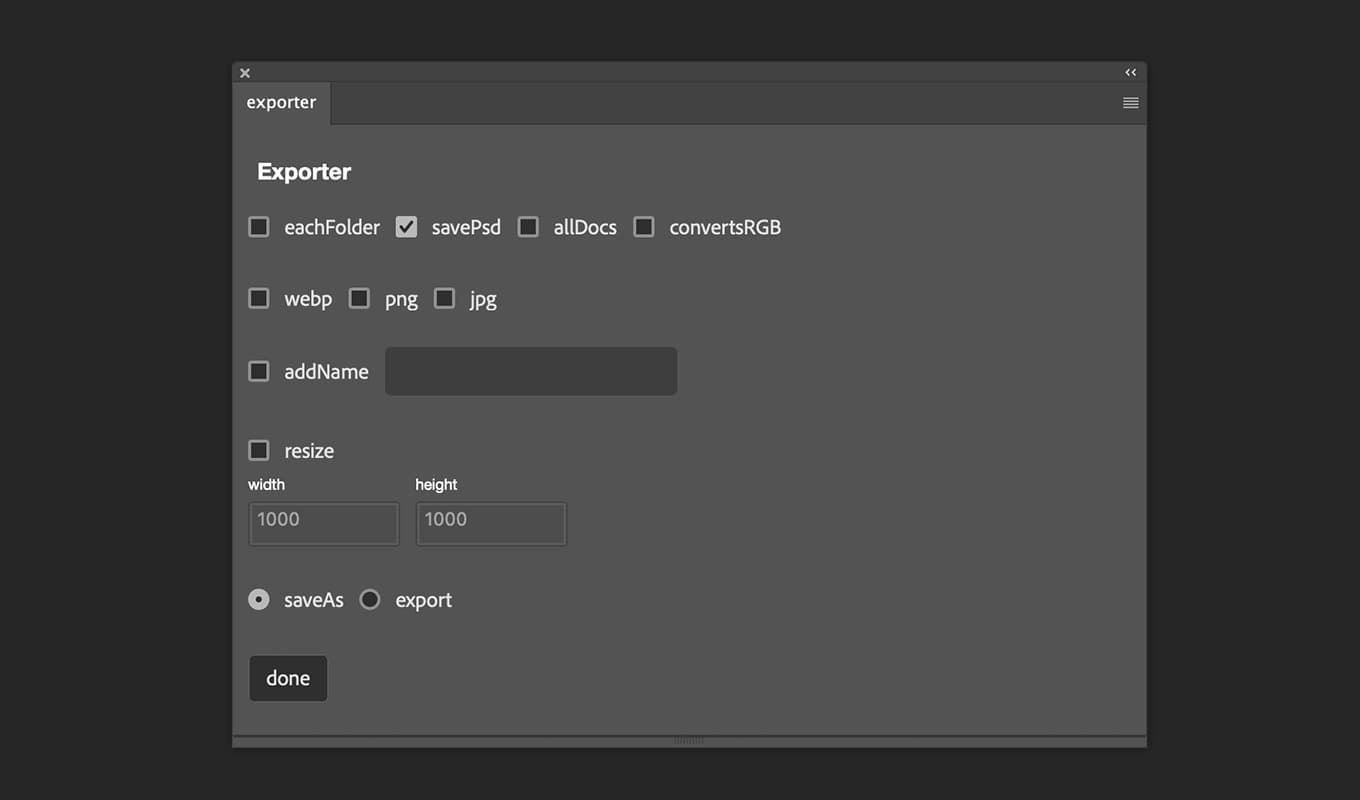
The Exporter Panel focuses on exporting images for web use, offering support for formats like WebP, JPG, and PNG. It includes two save modes and various options:
Exporter closes image after saving automatically. anytime any option you selected.
Save Modes
- Save AsSave the image in the chosen format, with the file being saved in the same directory as the original image.
- ExportSave the image in a selected directory.
Options
- Each FolderCreates a separate folder for each format and saves images accordingly.
- Save PSDSave a PSD file before exporting to retain the original image state, regardless of other selected options.
- All DocsSave all open images.
- Convert sRGBConvert the image to an sRGB color profile before exporting.
- Add NameAppend custom text to the file name before exporting.
- ResizeResize the image based on the specified long side dimension while maintaining the aspect ratio.
Settings Panel
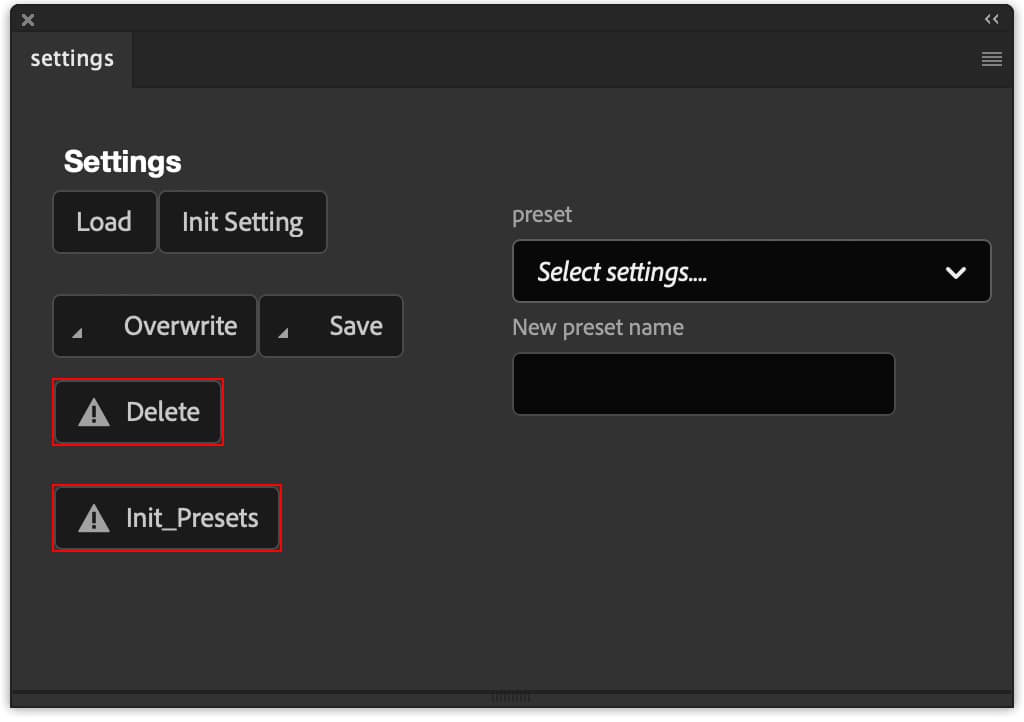
Preset Management Options
- LoadLoad a preset selected from the dropdown list.
- Init SettingInitialize panel settings to their default state.
- OverwriteOverwrite the settings in the selected preset.
- SaveCreate a new preset with the current settings.
- DeleteRemove the selected preset from the list.
- Init_PresetDelete all presets. Once deleted, they cannot be restored.
Additional Features
- Preset ListA dropdown list displaying all your saved presets.
- New Preset NameA text box for entering the name of a new preset (required when creating a new preset).
Note
- Preset data is saved in your document folder for easy access and backup.
download
Ver 3.0 is now available.
Download through Adobe creative cloud desktop app. visit here and see the details.